
How can I restrict my agent's filters?
1 minute read
How can I restrict my agent's filters?
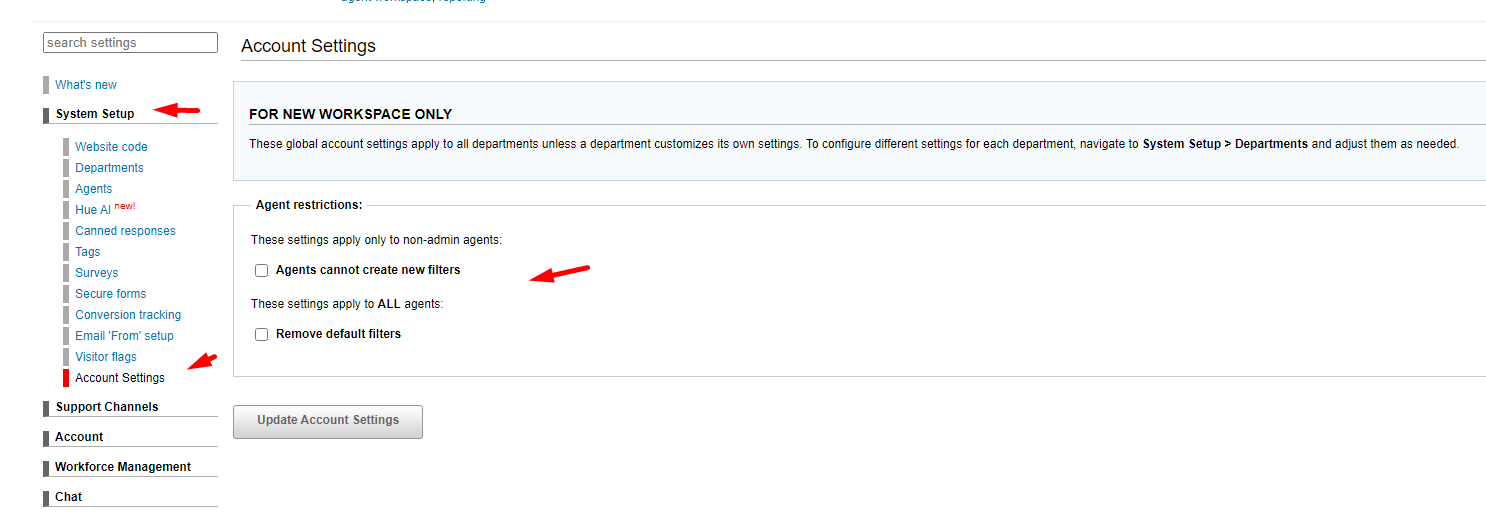
To set restrictions on agents filters so your team cannot create additional filters other than the appointed ones created by the admin:
1. Please go to Admin panel - System setup - Account settings.
To set restrictions by department:
1. Please go to Admin panel - System setup - Departments, scroll down until you see "Agent Restrictions" There you can check the boxes for:
"Agents cannot create new filters" and "Remove default filters" then click "update department" to apply the changes.
